In the competitive world of tattoo artistry, your portfolio is your most valuable asset. It’s the first impression you make on potential clients, a testament to your skill, artistry, and professionalism. While fresh tattoo photos certainly have their place, showcasing healed tattoos demonstrates your understanding of the tattooing process from start to finish. It proves that you not only create beautiful designs but also that your work stands the test of time and heals beautifully. This article will guide you through the best practices for documenting healed tattoos, helping you create a portfolio that attracts clients and elevates your career.
Camera gear and lighting essentials for capturing healed tattoo detail
To truly capture the nuances of your healed tattoo work, you need the right equipment. While you don’t necessarily need the most expensive professional gear, investing in quality tools will significantly improve the outcome. Consider these essentials:
- Camera: A DSLR or mirrorless camera offers the most control over settings like aperture, ISO, and shutter speed, allowing you to fine-tune your shots for optimal detail and clarity. However, many modern smartphones have excellent cameras capable of producing high-quality images, especially in good lighting. If you’re starting out, your smartphone might suffice, but consider upgrading as your business grows. Pay attention to the megapixel count; aim for at least 12MP for clear, detailed images.
- Lens (for DSLR/Mirrorless): A macro lens is ideal for capturing the fine details of tattoos. These lenses allow you to focus closely on the skin, revealing intricate lines and subtle shading. If a macro lens isn’t feasible, a general-purpose zoom lens with a close focusing distance can also work. Look for a lens with a minimum focusing distance of around 0.5 meters or less. The focal length is also important; a focal length between 50mm and 100mm is usually a good range for tattoo photography.
- Lighting: Proper lighting is crucial for showcasing the vibrancy and detail of healed tattoos. Avoid using your camera’s built-in flash, as it tends to create harsh shadows and wash out colors. Natural light is often the best option, but it can be inconsistent. When using natural light, try shooting near a window or in a shaded outdoor area during the day. Overcast days often provide soft, diffused light that is ideal for tattoo photography. If natural light isn’t available or consistent enough, invest in artificial lighting. Ring lights are popular among tattoo artists for their even illumination and ability to minimize shadows. Softboxes are another excellent option, as they diffuse light and create a more natural-looking effect. Experiment with different lighting setups to find what works best for you and your style. Remember, the goal is to highlight the tattoo, not to create overly dramatic or artificial lighting.
- Tripod: A tripod is essential for achieving sharp, blur-free images, especially when shooting in low light or using a macro lens. It allows you to keep your camera steady, ensuring that your photos are crisp and detailed. Even a slight camera shake can ruin a photo, so a tripod is a worthwhile investment. Look for a lightweight and portable tripod that you can easily set up in your studio or on location.
- Reflector (optional): A reflector can be used to bounce light onto the tattoo, filling in shadows and adding brightness. Reflectors come in various sizes and colors, with white and silver being the most versatile. A white reflector provides a soft, natural-looking light, while a silver reflector adds more brightness and contrast. You can use a reflector to redirect natural light or to supplement artificial lighting.
Detailed Explanation of Lighting Techniques:
Consider the three-point lighting technique, often used in photography and videography. This involves using a key light (your main light source), a fill light (to soften shadows), and a backlight (to separate the subject from the background). For tattoo photography, your key light could be a softbox positioned at a 45-degree angle to the tattoo. The fill light could be a reflector on the opposite side, bouncing light back onto the tattoo. A backlight is less common for tattoo photography but could be used to create a subtle halo effect around the tattoo. Experiment with the position and intensity of each light to achieve the desired effect. Another important consideration is the color temperature of your light. Different light sources emit light at different color temperatures, measured in Kelvin (K). Daylight is around 5500K, while incandescent light is around 2700K. When mixing different light sources, it’s important to ensure that they have similar color temperatures to avoid color casts in your photos. Many artificial lights allow you to adjust the color temperature, so you can match them to the ambient light in your environment.
Practical Tips for Camera Settings:
- Aperture: The aperture controls the amount of light that enters the camera and also affects the depth of field (the area of the image that is in focus). For tattoo photography, a narrow aperture (e.g., f/8 or f/11) is generally recommended to ensure that the entire tattoo is in focus. However, if you are using a macro lens, you may need to use a wider aperture (e.g., f/2.8 or f/4) to achieve a shallow depth of field and isolate the tattoo from the background.
- ISO: The ISO determines the camera’s sensitivity to light. A lower ISO (e.g., 100 or 200) will produce cleaner images with less noise, while a higher ISO (e.g., 800 or 1600) will allow you to shoot in low light conditions. However, higher ISOs can introduce noise and grain into your photos, so it’s best to keep the ISO as low as possible. When shooting in natural light, you should be able to use a low ISO. If you are using artificial lighting, you may need to increase the ISO slightly to achieve a properly exposed image.
- Shutter Speed: The shutter speed determines how long the camera’s sensor is exposed to light. A faster shutter speed (e.g., 1/200 second or faster) will freeze motion and prevent blur, while a slower shutter speed (e.g., 1/30 second or slower) will allow more light to enter the camera and can be used to create motion blur. When shooting tattoo photos, you generally want to use a faster shutter speed to ensure that the images are sharp and blur-free. A tripod can help you use slower shutter speeds without introducing blur.
- White Balance: White balance corrects for color casts caused by different light sources. Most cameras have an automatic white balance setting that will attempt to correct for these color casts. However, it’s often better to set the white balance manually to ensure accurate colors. You can use a white balance card to calibrate your camera or you can adjust the white balance in your camera’s settings.
Posing and angles: Showcasing your tattoo art on different body parts
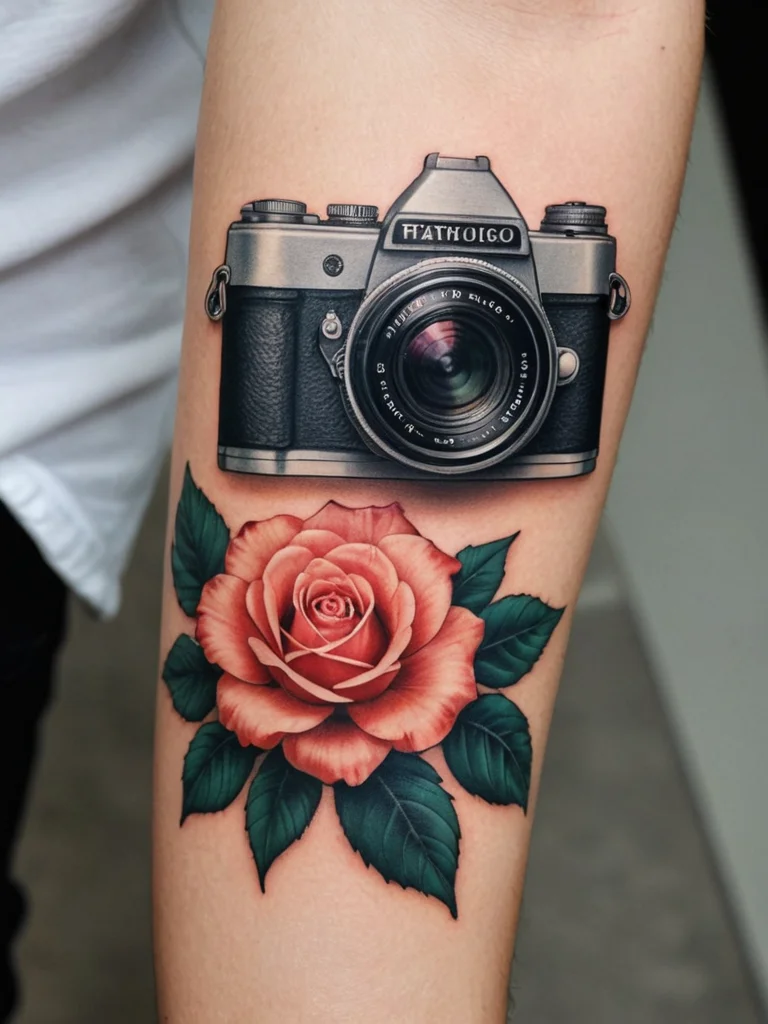
The way you pose your client and the angles you choose can dramatically impact how the tattoo is perceived in the photograph. Different body parts require different approaches to highlight the art effectively.
- Arms and Legs: These are relatively straightforward. For full sleeves or leg pieces, have the client stand or sit in a way that allows the entire tattoo to be visible. Avoid awkward angles that distort the design. For smaller tattoos, focus on capturing the details with close-up shots. Consider having the client flex their muscles to accentuate the contours of the tattoo. For example, if the tattoo is on the bicep, have the client flex their bicep to make the tattoo stand out. If the tattoo is on the calf, have the client point their toes to elongate the calf muscle and showcase the tattoo.
- Back and Torso: These areas often require more creativity. For full back pieces, have the client stand with their back facing the camera, ensuring good posture. Use lighting to accentuate the curves of the body and the details of the tattoo. For torso tattoos, consider having the client twist slightly to show the tattoo from different angles. Avoid poses that compress the skin or create unflattering folds. You may also want to consider using props to add visual interest and context to the photo. For example, if the tattoo is related to a specific hobby or interest, you could include props that reflect that hobby or interest.
- Hands and Feet: These can be challenging due to their small size and intricate details. Use a macro lens to capture the fine lines and shading. Pay close attention to lighting to avoid harsh shadows. Consider using props to help the client pose their hands or feet in a natural and comfortable way. For example, you could have the client hold a flower or a small object to give them something to focus on. You may also want to consider using a shallow depth of field to isolate the tattoo from the background and draw attention to the details.
- Neck and Head: Neck tattoos can be tricky to photograph because the neck is a small and curved surface. Try to get a clear shot of the entire tattoo without any distractions. Head tattoos can be even more challenging, as they often involve shaving the client’s head. Make sure the client is comfortable with this and that you have their permission before taking any photos. Use lighting to highlight the contours of the head and the details of the tattoo.
Dynamic Poses and Storytelling:
Don’t be afraid to experiment with dynamic poses that tell a story. Instead of simply having the client stand still, consider having them interact with their environment or perform a specific action. For example, if the tattoo is related to nature, you could have the client pose in a natural setting, such as a forest or a beach. If the tattoo is related to music, you could have the client hold a musical instrument or pose in a recording studio. The key is to create a visual narrative that complements the tattoo and adds depth to the photo. When choosing a pose, consider the client’s personality and style. The pose should reflect their individuality and make them feel comfortable and confident. You can also ask the client for input on the pose, as they may have specific ideas or preferences. Remember, the goal is to create a photo that both showcases the tattoo and captures the client’s essence.
Angles and Perspectives:
Experiment with different angles and perspectives to find the most flattering and interesting way to showcase the tattoo. Shooting from a low angle can make the tattoo appear larger and more imposing, while shooting from a high angle can make the tattoo appear smaller and more delicate. You can also try shooting from different sides to reveal different aspects of the tattoo. For example, if the tattoo is on the arm, you could shoot from the front to show the overall design or from the side to highlight the contours of the arm. Don’t be afraid to get creative and try new things. The key is to find the angle that best showcases the tattoo and captures its essence. You can also use leading lines to draw the viewer’s eye to the tattoo. Leading lines are lines that converge or diverge in the photo, creating a sense of depth and direction. For example, you could use a road or a fence to lead the viewer’s eye to the tattoo. You can also use the rule of thirds to create a more balanced and visually appealing composition. The rule of thirds involves dividing the photo into nine equal parts with two horizontal lines and two vertical lines. The points where the lines intersect are considered to be the most visually appealing spots in the photo. You can place the tattoo on one of these points to draw attention to it.
Editing workflow: Step-by-step guide to enhancing (but not distorting) healed tattoo photos
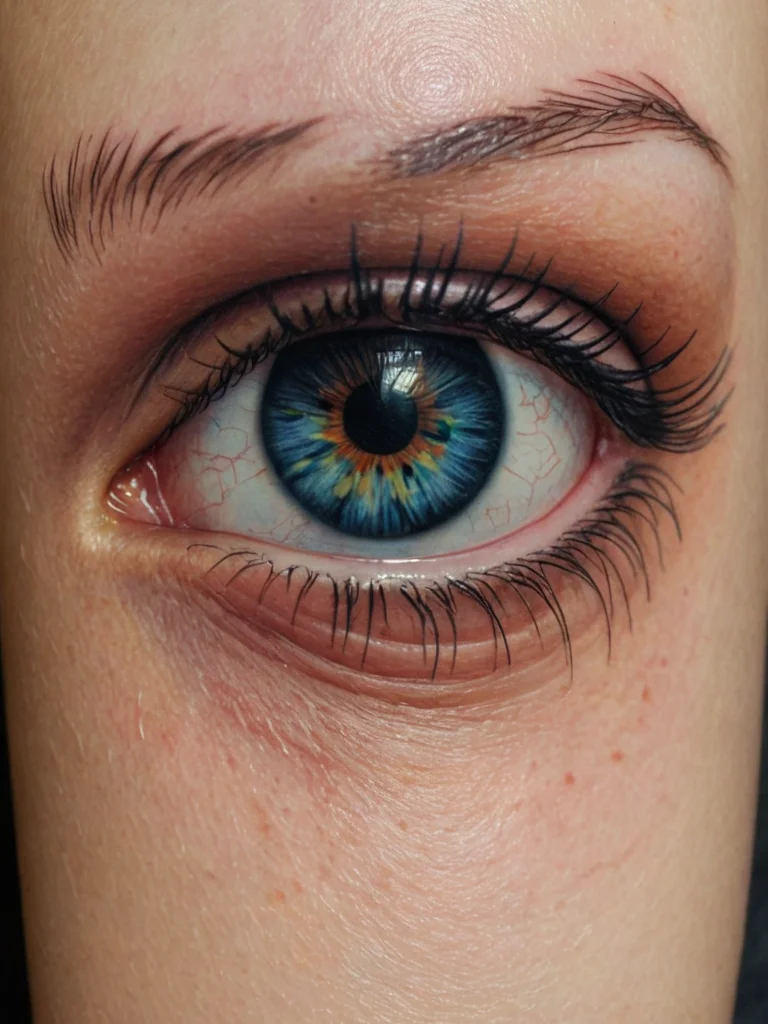
Post-processing is an essential step in creating a professional portfolio. The goal is to enhance the tattoo’s natural beauty and clarity without distorting the original artwork. Ethical considerations are paramount; avoid altering the tattoo’s appearance in a way that misrepresents your skill.
- Software: Adobe Lightroom and Photoshop are industry standards, offering comprehensive editing tools. However, free alternatives like GIMP and online editors like Photopea can also be effective for basic adjustments. The choice of software depends on your budget and skill level. Lightroom is generally preferred for overall adjustments and organization, while Photoshop is better suited for more complex editing tasks. GIMP is a powerful open-source alternative to Photoshop, while Photopea is a web-based editor that offers many of the same features as Photoshop.
- Initial Adjustments: Start with basic adjustments like exposure, contrast, and white balance. Adjust the exposure to brighten or darken the image, ensuring that the tattoo is properly lit. Adjust the contrast to enhance the details and textures of the tattoo. Adjust the white balance to correct any color casts and ensure that the colors are accurate. Use the highlight and shadow sliders to recover details in the brightest and darkest areas of the image. Be subtle with these adjustments; the goal is to enhance the natural appearance of the tattoo, not to create an artificial or over-processed look.
- Color Correction: Pay close attention to skin tones and the colors of the tattoo ink. Use the HSL (Hue, Saturation, Luminance) panel to adjust individual colors. For example, you can increase the saturation of the tattoo ink to make it more vibrant or adjust the hue to correct any color casts. Be careful not to over-saturate the colors, as this can make the tattoo look unnatural. Skin tones should appear natural and healthy. Use the white balance tool to correct any color casts and ensure that the skin tones are accurate. You can also use the color grading tools to add a subtle color tint to the image, but be careful not to overdo it.
- Sharpening: Sharpening can enhance the details of the tattoo, but it’s important to use it sparingly to avoid creating artifacts or a harsh look. Use the sharpening tool in your editing software to add a small amount of sharpening to the image. Pay close attention to the edges of the tattoo and the fine details of the ink. If you see any artifacts or halos around the edges, reduce the amount of sharpening. You can also use a masking tool to apply sharpening only to specific areas of the image, such as the tattoo itself.
- Removing Blemishes: Use the spot removal tool to remove any temporary blemishes, scars, or imperfections on the skin. Be careful not to remove any permanent features that are part of the client’s natural appearance. The goal is to clean up the image without altering the client’s identity. Use a small brush size and feather the edges of the brush to create a seamless blend. You can also use the clone stamp tool to copy and paste pixels from one area of the image to another. This can be useful for removing larger blemishes or imperfections.
- Cropping and Straightening: Crop the image to remove any distracting elements and to focus on the tattoo. Straighten the image to ensure that the tattoo is aligned properly. Use the crop tool in your editing software to crop the image to the desired size and aspect ratio. Pay attention to the composition of the image and try to create a balanced and visually appealing layout. Use the straightening tool to rotate the image and align it properly.
- Watermarking: Adding a subtle watermark with your logo or contact information can help protect your work and promote your brand. Place the watermark in a discreet location where it won’t distract from the tattoo. Use a small font size and a low opacity to make the watermark less visible. You can also use a non-destructive watermarking technique that allows you to remove the watermark later if needed.
Ethical Considerations in Editing:
It’s crucial to maintain ethical standards when editing healed tattoo photos. Avoid making changes that would misrepresent the tattoo’s actual appearance. Don’t remove scars or other permanent skin features unless specifically requested by the client and with their informed consent. Don’t alter the colors or lines of the tattoo in a way that makes it look different from the original artwork. Be transparent about your editing process and disclose any significant changes that you’ve made to the image. Remember, your portfolio is a reflection of your skill and professionalism, so it’s important to maintain integrity in your work. If you’re unsure whether a particular edit is ethical, err on the side of caution and avoid making the change. It’s always better to present an accurate representation of your work than to create a misleading impression.
Example Workflow using Adobe Lightroom:
- Import the image: Import the healed tattoo photo into Lightroom.
- Adjust the white balance: Use the white balance selector to click on a neutral area of the skin to correct any color casts.
- Adjust the exposure and contrast: Use the exposure and contrast sliders to brighten or darken the image and enhance the details.
- Adjust the highlights and shadows: Use the highlights and shadows sliders to recover details in the brightest and darkest areas of the image.
- Adjust the HSL: Use the HSL panel to adjust the hue, saturation, and luminance of individual colors in the tattoo.
- Sharpen the image: Use the sharpening tool to add a small amount of sharpening to the image.
- Remove blemishes: Use the spot removal tool to remove any temporary blemishes or imperfections on the skin.
- Crop and straighten the image: Use the crop tool to crop the image to the desired size and aspect ratio and to straighten the image.
- Add a watermark: Add a subtle watermark with your logo or contact information.
- Export the image: Export the image in a high-resolution format, such as JPEG or PNG.
Portfolio presentation: Organizing and showcasing healed tattoo photos to attract clients
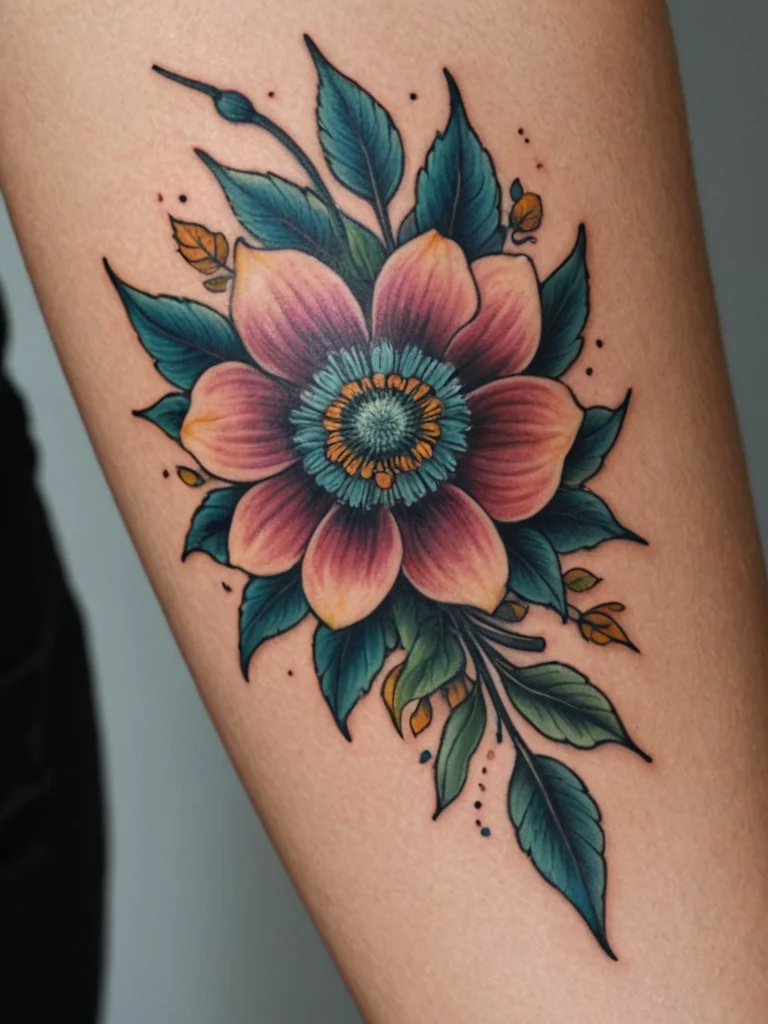
The way you present your healed tattoo photos in your portfolio is just as important as the quality of the photos themselves. A well-organized and visually appealing portfolio can make a significant difference in attracting clients and showcasing your expertise.
- Online Portfolio Platforms: Consider using dedicated online portfolio platforms like Behance, ArtStation, or specialized tattoo portfolio sites. These platforms offer features specifically designed for artists, such as customizable layouts, image optimization, and social sharing. Your own website is also an excellent option, providing complete control over the design and content. When choosing a platform, consider your target audience and the type of work you want to showcase. Behance is a popular platform for creative professionals, while ArtStation is more focused on digital art and game development. Specialized tattoo portfolio sites can help you reach a niche audience of tattoo enthusiasts. Your own website allows you to create a unique brand identity and showcase your work in a way that reflects your personal style.
- Physical Portfolio (Optional): While online portfolios are essential, a physical portfolio can be a valuable asset for in-person consultations and conventions. Choose high-quality prints and present them in a professional-looking binder or album. A physical portfolio allows clients to see and feel the quality of your work firsthand. It also provides an opportunity to showcase your personality and style. When creating a physical portfolio, choose prints that are durable and resistant to fading. Use a binder or album that is easy to carry and that protects the prints from damage.
- Categorization and Organization: Organize your photos into categories based on style, subject matter, or body part. This makes it easier for potential clients to find the type of work they’re interested in. Use clear and descriptive labels for each category. For example, you could categorize your work by style (e.g., traditional, realism, geometric), by subject matter (e.g., animals, portraits, flowers), or by body part (e.g., sleeves, back pieces, leg tattoos). Within each category, arrange the photos in a logical order, such as chronological order or by level of skill.
- Image Selection: Choose only your best healed tattoo photos for your portfolio. Focus on showcasing your range of skills and styles. Avoid including any photos that are blurry, poorly lit, or that don’t accurately represent your work. When selecting photos, consider the overall composition, the quality of the tattoo, and the client’s satisfaction. Choose photos that are visually appealing and that showcase your unique style.
- Descriptions and Captions: Add descriptive captions to each photo, providing context about the tattoo, the client, and the inspiration behind the design. Include information about the healing process and any challenges you faced. Captions can help clients connect with your work on a personal level and understand your creative process. Use clear and concise language and avoid using jargon or technical terms that clients may not understand.
- Client Testimonials: Include client testimonials alongside your photos to build trust and credibility. Positive feedback from satisfied clients can be a powerful way to attract new business. Ask your clients for permission to use their testimonials in your portfolio. You can also include quotes from clients in your captions or on a separate page dedicated to testimonials.
- Regular Updates: Keep your portfolio fresh and up-to-date by regularly adding new photos and removing any outdated or irrelevant work. This shows potential clients that you are actively working and that your skills are constantly evolving. Set a schedule for updating your portfolio, such as once a month or once a quarter. You can also use social media to showcase your latest work and drive traffic to your portfolio.
Creating a Consistent Brand Identity:
Your portfolio should reflect your unique brand identity. Use a consistent color scheme, font, and style throughout your portfolio to create a cohesive and professional look. Your brand identity should be consistent with your other marketing materials, such as your website, social media profiles, and business cards. When choosing a color scheme, consider your personal style and the type of work you want to showcase. A minimalist color scheme can create a clean and modern look, while a more vibrant color scheme can convey a sense of energy and creativity. Choose fonts that are easy to read and that complement your overall design. Your logo should be prominently displayed in your portfolio and should be consistent with your other branding materials.
SEO Optimization for Online Portfolios:
If you have an online portfolio, it’s important to optimize it for search engines. This will help potential clients find your work when they search for tattoo artists online. Use relevant keywords in your titles, descriptions, and image alt tags. For example, if you specialize in traditional Japanese tattoos, you could use keywords like “traditional Japanese tattoo artist,” “irezumi,” and “Japanese tattoo design.” You can also use location-based keywords to target clients in your local area. For example, if you’re a tattoo artist in Los Angeles, you could use keywords like “tattoo artist Los Angeles,” “Los Angeles tattoo studio,” and “best tattoo artist in LA.” Build backlinks to your portfolio from other websites, such as your social media profiles, online directories, and guest blog posts. Backlinks are links from other websites that point to your portfolio. They help search engines understand that your portfolio is a valuable resource and can improve your search engine rankings. Use a responsive design that adapts to different screen sizes. A responsive design ensures that your portfolio looks good on all devices, including desktops, laptops, tablets, and smartphones. This is important because many potential clients will be viewing your portfolio on their mobile devices.